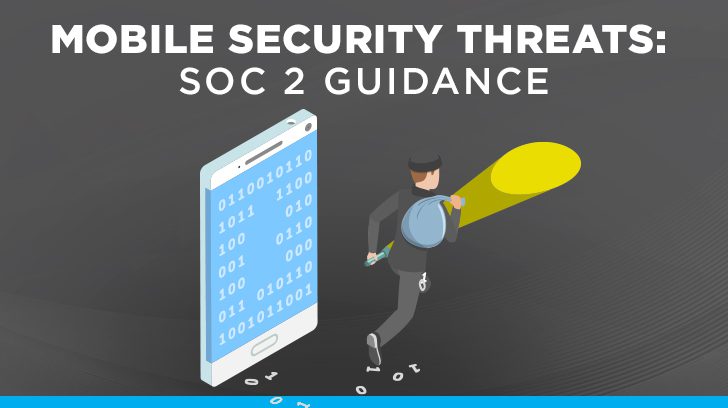
Auditors performing SOC examinations routinely test security controls over mobile devices and change management controls over mobile applications. It is not unusual in our experience for an auditor to identify that regular patching is not occurring and not up to date, antivirus / antimalware software is not installed, weak password policies are in use, and weak transmission or encryption protocols are still allowed for legacy systems. As the sophistication and volume of mobile security threats increase, mobile device users and mobile application developers need to be vigilant and stay on top of emerging mobile security threats in order to protect their sensitive data and reputation.
This blog delves into some common mobile security threats and what actions may be taken to mitigate the risk of a cyberattack and becoming a victim of cybercrime. Mobile device security protects private data, including your Company’s sensitive information, financial data, and passwords on your mobile device by implementing control measures like strong passwords, encryption, and antivirus/antimalware software.
What Are Mobile Device Security Threats?
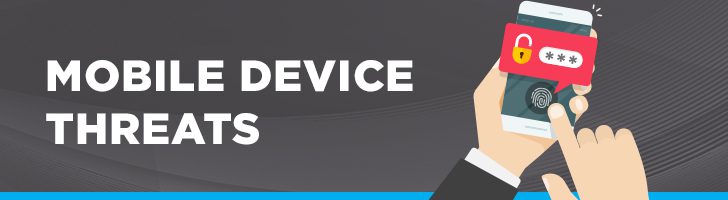
Mobile device security threats, also known as mobile device attacks, refer to the security risks associated with mobile devices. These include security threats relating to the loss, corruption, or theft of sensitive data on or through the mobile device or the loss or theft of the mobile device itself. A System and Organization Controls (SOC) 2 examination highlights activities that are expected to be in place to mitigate many of these threats. A combination of controls helps to mitigate the risk of mobile security events and provides defense in depth to protect mobile devices from unauthorized access or misuse.
What Are Common Mobile Device Threats?
Mobile device security threats are rising as individuals work remotely and the boundaries between work and home life become blurred. For this reason, cybercriminals target mobile devices, such as laptops, smartphones, and tablets, to extract sensitive information primarily for financial gain or to wreak havoc on systems.
Unsecured Wi-Fi
SOC 2 guidance addresses the expectation that information is protected during transmission.
- The best defense is to only connect to Wi-Fi access points that you trust and/or use a virtual private network (VPN) that encrypts the data being transmitted over the connection between the device and the Company’s network.
- Never access sensitive information like banking, credit card, health information, or your Company’s sensitive data over a public unsecured Wi-Fi connection.
- Turn off Bluetooth capabilities when not in use to reduce vulnerabilities and potential attacks.
Free public Wi-Fi is nice and convenient, but it may come at an unexpected cost if someone is spying on your activity. Man-in-the-middle (MitM) attacks may eavesdrop on your communications or modify the data being transmitted. Additionally, a nefarious individual may create a phony Wi-Fi hotspot to trick users into connecting to it in order to steal sensitive data.
Data Loss
Weak security controls over sensitive production data, such as not restricting access and not encrypting data, will derail SOC readiness every time. SOC 2 guidance includes expectations that the entity restricts transmission, movement, and removal of information to only authorized internal and external users.
- Before downloading mobile applications, research the mobile application reviews to reduce the threat of downloading a malicious application.
- Protect your data by limiting the permissions granted to mobile applications to only those required for it to function and by strengthening security controls on your mobile device to limit data that may be collected.
- If the mobile application was free, consider whether you, the user, may be the product.
- Only download mobile applications from official stores like Google Play and Apple App Store rather than third-party app stores because there is a better chance that they are vetted and may reduce your risk of downloading a malicious mobile application.
- Limit use of removable media, e.g., thumb drives, portable storage devices, etc., unless it is encrypted or block it altogether.
- Perform regular data backups and encrypt data and mobile devices.
Mobile applications are oftentimes the culprit of data leaks. In downloading mobile applications, users may grant more permissions than are needed for the application to function properly, which allows access to their data, or they may be inadvertently downloading malicious applications that release malware or spyware. Malware performs malicious activity on your device without your knowledge and may allow an attacker control over your device. Spyware gathers sensitive information and monitors your activity on your device without your knowledge.
Social Engineering / Phishing / Smishing / Vishing
Failing to incorporate security awareness training to equip personnel with the knowledge needed to identify and prevent security events will interfere with achieving SOC readiness. Security awareness training is important to maintain an educated workforce, but many times, a common issue identified in SOC examinations is that new hires onboarded did not complete security awareness training in a timely manner after their start date. For security awareness training to be effective, it must be completed in a timely manner and include current and evolving threats. Unfortunately, today, it is not uncommon to receive an email requesting payment, such as under a business email compromise (BEC) scam, whereby the email appears legitimate but, upon closer inspection, is not from whom it appeared at first glance.
Upon receipt of any communication that appears to be suspicious or is not expected, stop and investigate further from where it originated before clicking on a link or downloading an attachment. SOC 2 requirements provide the expectation that the entity internally communicates information necessary to support the functioning of internal control and implements controls to prevent or detect malicious software.
- Before responding to an unusual request by clicking on a link or opening an attachment, verify the sender is legitimate or known to you and/or that it was something you were expecting. If in doubt, it’s best to not respond and to delete it instead.
- Be sure to install a comprehensive antivirus and antimalware tool that prevents, detects, and responds to cyber threats in real-time, and to maintain up-to-date virus definitions by making sure that you are running the most up-to-date software version through enablement of auto-updates.
- Security awareness training helps to keep personnel abreast of new tactics employed by cybercriminals who seek to have users download malicious applications or visit malicious websites, as well as other security threats.
- Phishing simulation training reinforces the security training provided by helping personnel to recognize, avoid, and report potential security threats.
- Consider blocking the ability of users to download applications or to visit known malicious websites.
- Maintain information security policies, including a bring your own device (BYOD) policy, to communicate personnel responsibilities as it applies to security.
Getting suckered into clicking on a suspicious link or opening an attachment because it looks authentic remains one of the most successful tricks cybercriminals use to compromise your credentials, personal information, or the Company’s sensitive data. Malware or spyware may be released that compromises your entire device and/or connected network. Various types of cyberattacks exist that fool their victims through malicious websites or email (phishing attacks), text messages (smishing attacks), voice phishing (vishing attacks) through spam callers, or social media. The victim’s sensitive information (e.g., passwords, account information, etc.) that can be used for financial gain is oftentimes what is targeted by the scammers.
Operating Systems Not Updated
Not patching operating systems and keeping them up to date will impact SOC readiness. During SOC examinations, operating systems not being up-to-date on patching is not an uncommon finding, whereby operating systems are outdated or have not been updated regularly throughout the examination period. SOC 2 addresses the expectation that the entity implements controls to prevent or detect unauthorized or malicious software.
- Patches are made available periodically as vulnerabilities become known and are fixed. These operating system patches need to be installed in a timely manner to be effective.
- Consider enabling operating system auto-updates.
- Companies may utilize a mobile device management (MDM) tool to centrally enforce their security policies, such as pushing operating system updates automatically to the managed device, and to provide device monitoring and control.
Operating systems that aren’t kept up to date on patching may expose the device to known vulnerabilities that can be exploited by cybercriminals. Cybercriminals may exploit these known weaknesses to gain unauthorized access to systems and sensitive data.
Weak Passwords
Weak password policies that increase the risk of unauthorized access need to be addressed when preparing for SOC readiness. SOC 2 addresses the expectation that the entity implements logical access architectures over information assets to protect them from unauthorized access.
- Utilizing strong passwords is one of the first lines of defense for both your personal device and work account by securing your password with appropriate character length and complexity.
- Companies may also consider implementing multi-factor authentication (MFA) whenever possible, a password manager tool, and/or an identity and access management (IAM) tool to help mitigate unauthorized access risk.
- Implement unique passwords across accounts so that if one password is compromised, other accounts won’t potentially be compromised as well.
- Consider the use of biometric authentication.
Hackers are hoping you employ poor password hygiene habits to make it easy for them to use password guessing or brute force to unlock your account in order to gain unauthorized access to systems and sensitive data. The risk of identity theft is increased if weak passwords are used.
Theft of Mobile Devices
Having an incident response plan in place to address security incidents when they occur is necessary to achieve SOC readiness. SOC 2 addresses the expectation that the entity restricts physical access to protected information assets. Below are considerations to reduce the risk from the theft of mobile devices.
- Encryption should be enabled on mobile devices to protect data in the event the device is lost or stolen.
- Enable a password-protected screensaver that is activated after a modest period of inactivity.
- Additionally, consider enabling the ability to remotely wipe data through the use of a mobile device management tool that will allow data on the device to be promptly deleted should the need arise.
A stolen or lost mobile device is a security incident. In the wrong hands, the device may be compromised, and sensitive personal and/or Company data may be at risk. Moreover, mobile device hardware is valuable and may be sold on the black market.
What Are the Threats of Using Mobile Apps?
Utilizing mobile applications may pose potential threats if the mobile application is not properly vetted and appears legitimate but is actually spoofed, which is an imitation of the authentic application. When mobile applications are downloaded, they could actually be skimming sensitive Company data from the mobile device and unleash malware or spyware that disrupts system operations. Additionally, if vulnerabilities are exploited within credible mobile applications, the vulnerability could be used to corrupt or steal sensitive data and wreak havoc on system operations, which can significantly harm a Company’s reputation and do untold damage.
What Are Some Common Security Threats for Mobile Applications?
To prevent data breaches, mobile application security is paramount. Writing secure code as enhancements and bug fixes are developed needs to be prioritized. Cybercriminals use fake or spoofed mobile applications to attack unsuspecting victims in an attempt to steal sensitive data for profit. Banking institutions and health service providers are targets for cybercriminals to create fake mobile applications that appear to be authentic.
Unsecured Data in Transit
Use of outdated Transport Layer Security (TLS) 1.0 and TLS 1.1 is not an uncommon finding, but are no longer considered secure for transmitting sensitive data and should be disabled because of known weaknesses. Data in transit should be secured using TLS 1.2 or greater and strong encryption algorithms. SOC 2 guidance addresses the expectation that the entity protects information during transmission, movement, or removal, and not doing so will derail SOC readiness.
- Establishing a secure end-to-end encrypted data transmission connection utilizing strong industry-standard encryption algorithms will defend against malicious interception of data in transit.
When data is transmitted, cybercriminals may intercept the data by exploiting mobile security vulnerabilities, such as an insecure connection.
Unsecured Data at Rest
Not restricting access to and encrypting data at rest will hinder SOC readiness every time. SOC 2 addresses the expectation that the entity implements logical access architectures over information assets to protect them from security events.
- To protect your data, encrypt it at rest and manage the encryption keys securely.
- Only those individuals with a required business need should have access to sensitive data. By limiting access to the data, the risk of exploiting the permission is greatly reduced.
- Remember to log out when finished using an application or moving away from a website.
Data breaches are costly events and may cause significant reputational damage. If a cybercriminal obtains access to the database, data may be extracted or blocked unless a ransom is paid, tying up the Company’s ability to maintain operations.
Weak Firewall Rules
Not configuring firewall rules to restrict access from external sources to only those that are authorized will impede SOC readiness. SOC 2 provides the expectation that the entity implements logical access security measures to protect against threats from sources outside its system boundaries.
- Protect your systems by cleaning up old, outdated firewall rules.
- Configure your firewall by filtering network traffic to deny all network access not specifically allowed by firewall rules to best protect your systems from nefarious attacks.
Firewall rules that are overly permissive may expose systems to cyberattacks such as denial of service attacks.
Poor Code & Configuration Quality
SOC 2 addresses the expectation that the entity authorizes, develops, tests, and approves changes to configurations, software, data, and infrastructure.
- Putting in place secure software development lifecycle policies and procedures, as well as incorporating strong encryption standards, may help to deploy better practices for code quality within an organization.
- Instituting peer reviews, automated testing, and static code analysis can help to identify issues before changes are released to production.
- Hardening servers and monitoring systems for configuration changes helps to block or quickly identify unauthorized system activity.
- Implementing periodic vulnerability assessments and penetration tests helps to identify security risks to systems so that they may be remediated before they are exploited.
Lack of code and configuration quality may result in injection issues, lax data storage, weak encryption protocols, memory leaks, and other security issues.
Weak Authentication Methodology
Failing to implement strong authentication methodologies, such as the use of MFA whenever possible, can result in unauthorized access and derail SOC readiness. SOC 2 addresses the expectation that logical access architectures over information assets are implemented to protect them from security events.
- The use of multi-factor authentication through one-time passcodes, security questions, or security tokens, etc., better enables the validation of users’ identity to restrict unauthorized access to the system environment.
- Additionally, user accounts should be locked after a specified number of failed login attempts to thwart brute force password-guessing attacks.
Brute force attacks take advantage of weak authentication methodologies that are in place and compromise system security, potentially resulting in data loss or corruption.
Frequently Asked Questions About Mobile Security Threats
These are some of the more common questions clients will ask when it comes to mobile security threats.
Why Is Mobile Device Security Important?
Working remotely is so common today; therefore, security over the use of mobile devices is key to the protection of company resources, including sensitive data. Without implementing strong security controls over mobile devices, the availability, confidentiality, and integrity of sensitive information or systems that affect the Company’s ability to achieve its objectives could be compromised.
What Are Common Mobile Device & Mobile App Security Threats?
Common mobile security threats include the following:
- Use of unsecured Wi-Fi.
- Unauthorized data access or exfiltration.
- Cyberattacks through Social Engineering / Phishing / Smishing / Vishing.
- Cyberattacks through malware or spyware.
- Use of weak passwords.
- Downloading spoofed mobile applications.
- Weak authentication methodology.
- Use of weak protocols over data at rest and in transit.
How Can the Risk of Mobile Device & Mobile App Security Threats Be Reduced?
Mobile security threats may be reduced largely by implementing the following:
- Keep operating systems up to date with patches.
- Install an antivirus and antimalware tool.
- Enable full-disk encryption.
- Enable a password-protected screensaver that activates after a modest period of inactivity.
- Use strong passwords or biometric authentication along with MFA whenever possible.
- Use a VPN for remote access.
- Implement security awareness training.
- Download mobile applications from official stores.
How Does Mobile Device Security Impact SOC Readiness?
Mobile device security is a key component of SOC readiness that helps to accomplish the following:
- Protect the service provider’s assets against unauthorized access or malicious software.
- Prevent the unauthorized disclosure of sensitive information.
- Prevent damage to systems that could negatively compromise the ability of the service provider to achieve its objectives and to meet its service commitments and system requirements.
SOC readiness requires that service providers implement controls to protect information assets from security events and prevent or detect and act upon the introduction of malicious software.
Do Auditors Review Mobile Apps During a SOC Assessment?
During a SOC examination, auditors routinely test changes made to applications, including mobile applications, on how those changes are authorized, documented, tested, approved, and released to production.
Building Mobile Security Into Your SOC Strategy
Security protocols over mobile devices significantly impact SOC readiness because mobile devices are integral to the flexibility and productivity of a service organization’s workforce that support achievement of its service commitments and system requirements. Along with it, mobile security threats aren’t going away either. Mobile security threats will continue to be adapted and become more sophisticated over time by cybercriminals seeking new opportunities for financial gain as known vulnerabilities become mitigated. Therefore, setting up a defense-in-depth security approach is your best response to mitigate a variety of mobile security threats. System and Organization Controls (SOC) examinations provide an independent assessment of service organizations in their management of many of these mobile security threats over mobile devices and applications.
For more information on SOC reporting requirements, contact us at Linford & Company. Our team of experienced professionals focuses on SOC 1 and SOC 2 assessments with service organizations located around the world.
This article was originally published on 12/28/2022 and was updated on 1/28/2026.