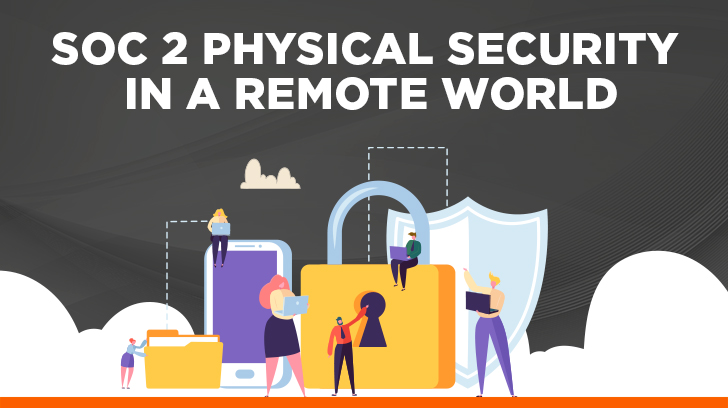
Historically, an IT compliance audit involved a physical component. An auditor would visit your company headquarters, test the weight of the server room doors, look for security cameras, and verify badge readers. But what happens when your company is 100% remote? If there are no physical doors to lock and no office buildings to secure, what is left to walk through? Now that the world has gone to remote work, some may argue that physical security is more important than ever. While I do not disagree, it has vastly shifted in responsibility and approach.
When a SaaS company operates 100% remotely and hosts its entire infrastructure in the cloud, agonizing over enterprise-grade server room security feels entirely disconnected from day-to-day operations. However, the physical security criteria for a SOC report has not become irrelevant, but it has changed from an audit perspective. For cloud-first companies, the heavy lifting of data center protection moves to your cloud provider’s SOC report, while your remaining physical obligations shift directly to endpoints, Mobile Device Management (MDM), and remote access controls.
Does SOC 2 Cover Physical Security?
Yes, SOC 2 explicitly covers physical security under Common Criteria 6.4 (The entity restricts physical access to facilities and protected information assets, for example, data center facilities, backup media storage, and other sensitive locations, to authorized personnel to meet the entity’s objectives.) For traditional companies, this means securing offices and server rooms; for remote companies, it requires securing the distributed endpoints used to access corporate data.
As auditors, we frequently encounter two distinct pitfalls when evaluating remote-first organizations under CC6.4.
The “We Have No Office” Assumption
We recently kicked off an audit with a startup whose team is entirely remote. During the scoping call, they confidently stated, “We don’t have an office or any physical hardware outside of employee laptops, so we can just ignore the physical security criteria entirely, right?” The answer, of course, was no. During the walkthrough, we had to explain that because their employees access live production environments (including client data) from home offices and coffee shops, the kitchen table is their physical security perimeter. When we began sampling devices, they lacked a centralized way to prove that hard drive encryption was enforced across the board or that screens auto-locked after inactivity. They had excellent cloud security, but minimal remote physical security control.
The “Cloud Service Provider Handles It” Blindspot
Another common scenario involves teams that correctly point to their cloud infrastructure. When asked about CC6.4, they hand over a cloud service provider SOC 2 report as proof of their data security posture and consider the box checked.
However, they fail to realize that simply having a vendor’s SOC report isn’t enough. You must have a documented process for reviewing that report annually, identifying the Complementary User Entity Controls (CUECs), and proving that your company fulfills its side of the bargain, such as managing who has the administrative authority to provision cloud network access in the first place.
| Infrastructure Model | What “Physical Security” Means | Key Audit Evidence Required |
|---|---|---|
| Traditional On-Premise | Protecting the physical building, server racks, and on-site network infrastructure owned by the company. | Badge swipe logs, CCTV footage reviews, visitor logs, HVAC, and fire suppression maintenance records. |
| Colocation (Data Center) | Relying on a third-party facility to house your physical hardware. Security is a shared burden. | The Colocation facility’s SOC 2 report, your internal review of their CUECs, and authorized visitor lists for hardware maintenance. |
| Fully Remote | Protecting the distributed user endpoints (laptops) and secure remote access pathways to cloud environments. | MDM inventory reports (proving global disk encryption and auto-lock), signed remote work policies, and conditional access configurations. |
The Virtual Walkthrough: The 4 Pillars of Remote Physical Compliance
When we, as auditors, sit down to evaluate your distributed workforce, we are not going to look at blueprints or badge logs; we are going to ask you to share your screen.
A virtual walkthrough is where we dig in and test that your policies are in place and controls in those policies are designed and operating effectively. If your security controls only exist on a signed piece of paper, a live session will expose the cracks instantly. To pass the audit and prove you have the controls, there are four things we typically will look at:
1. Endpoint Management as the “Virtual Lock”
If we cannot physically inspect a locked server room door, we are going to inspect your centralized MDM dashboard — your first line of endpoint security.
- The Reality Check: A common point of failure during an audit is when a client tells us, “Our policy says everyone must encrypt their laptops.” But when we pull a random sample of ten employees, the MDM dashboard shows that two laptops have encryption disabled because the users paused it for a software update and forgot to turn it back on. To an auditor, an unencrypted laptop holding client data is the exact equivalent of leaving your data center front door wide open.
- The Audit Evidence: You must show live configuration profiles proving that full-disk encryption is enforced globally and cannot be disabled by the end-user, alongside a policy that forces screens to auto-lock after a maximum of 10 to 15 minutes of inactivity.
2. Signed Remote Work Policies
We cannot physically audit an employee’s living room, but we can audit their formal accountability to your security standards.
- The Reality Check: Many companies pull a generic remote work template off the internet that simply says, “Be safe at home.” That won’t pass. We want to see that your team explicitly understands the unique physical threats of a distributed environment. If an employee’s laptop is stolen from the passenger seat of their car while they run into a coffee shop, we want to see that they were formally trained never to leave company assets unattended in public.
- The Audit Evidence: A centralized tracking log showing 100% completion of a specialized “Remote Work Security Policy.” This policy must explicitly mandate secure home Wi-Fi configurations, “clean-desk” habits to protect against unauthorized family viewing, and strict rules regarding public network usage.
3. Centralized Asset Tracking
In a traditional office, if an employee quits or is terminated, security physically takes their badge and walks them out of the building. In a remote setup, your asset disposal and offboarding process must be entirely digital.
- The Reality Check: During a walkthrough, we will frequently cross-reference a human resources termination list with a hardware inventory log. If an employee was let go three weeks ago, but their laptop hasn’t been checked into the MDM system or marked as “wiped,” you have a major physical security exception. That device is now a rogue endpoint containing residual data.
- The Audit Evidence: A live hardware asset ledger tracking serial numbers and device assignments, paired with a documented, timestamped workflow showing that your IT team can remotely wipe a device the moment a laptop is reported lost or a teammate departs the organization.
4. Identity and Conditional Access Boundaries
In a physical data center, entry is restricted by a biometric scanner. In a remote IT environment, your Identity and Access Management (IAM) platform must serve as that boundary line.
- The Reality Check: If your cloud-first company is based entirely in North America, but an auditor sees an administrative login attempt originating from a data center overseas at 3:00 AM, the digital perimeter has failed. If you don’t have automated rules to block that behavior, you cannot prove you are restricting access to authorized personnel.
- The Audit Evidence: Showing the auditor the backend configuration of your centralized logging or Security Information and Event Management (SIEM) system. You need to prove that logs from your identity platforms are actively aggregated, that you have real-time monitoring and alerting set up for high-risk administrative actions (like provisioning new users or changing master security settings), and that these audit logs are securely retained for a minimum compliance window to track historical access.
Bridging the Gap: How Distributed Endpoints Connect to the Cloud Network
You may think that you do not need extra security because your company is remote and your cloud service provider is protecting you. They are not. A compromised laptop is a door into the same data that the server sits behind.
Why Corporate Infrastructure Demands So Much Security
Traditional facilities implement intense physical safeguards, biometric scanners, concrete barriers, and armed patrols because they serve as the central vaults of the digital economy. A physical breach at a primary infrastructure facility could result in catastrophic data theft or widespread digital blackouts.
You are asking yourself, ” How is physical security relevant to cloud networking?” The answer is that cloud networking fundamentally relies on physical hardware, routers, and fiber-optic cables housed in a real building. Physical security remains the bedrock of digital safety. If a malicious actor gains physical access to the switching infrastructure, they can bypass digital firewalls entirely, splice lines to intercept data traffic, or shut down physical cooling and power systems.
The Shared Responsibility Reality
So, is a data center more secure than a cloud environment? The answer is in the configurations. When you migrate to a major cloud service provider, like AWS, you inherit that world-class physical security posture. Your vendor guarantees that no one is walking off with the hard drives hosting your application.
However, that shifts the burden entirely onto your organization’s configurations. Today, the number one issue for security in the cloud is client misconfiguration. The public cloud provider secures the infrastructure, but if your remote employees are logging into that network from unencrypted laptops or via unsecured networks, the physical perimeter has effectively failed.
The Auditor’s Final Checklist for Remote Teams
Before you step into your virtual walkthrough, look past the traditional advice regarding server rooms and focus on what actually moves the needle for a modern, distributed architecture. To pass your next review with flying colors, make certain your compliance team can confidently check off these items:
- Continuous Monitoring over Corporate Policy: Don’t just show the auditor a written document; be ready to pull up your live MDM dashboard to prove that full-disk encryption and 15-minute screen locks are enforced across 100% of your active fleet.
- Automated Offboarding Trails: Make certain your HR logs match your IT asset ledger perfectly, proving that access is revoked and devices are queued for a remote wipe the exact day an employee leaves the company.
- Upstream Vendor Reviews: Maintain a documented annual review of your cloud hosting provider’s SOC 2 report, specifically highlighting how your team manages the CUECs.
- Geographic and Contextual Guardrails: Confirm that your identity provider actively blocks authentication attempts coming from unexpected geographic locations or unauthorized personal devices.
SOC 2 Physical Security Has Changed — Is Your Remote Program Ready?
Operating in a remote environment eliminates the building overhead of the traditional model, but it places a much higher responsibility on your corporate security culture and automated software configurations. That is not something you can paper over with a policy document. Remember the client we originally discussed, and how they thought physical security did not matter since they were fully remote? How do you think their first audit went?
Physical security under SOC 2 has not gone away; it has just drastically changed. By treating every employee endpoint as the physical boundary of your network and utilizing live, system-generated evidence, you can step into your next virtual audit with total confidence.
Looking to navigate your upcoming compliance milestone as a distributed or cloud-first organization? Partner with an auditing team that understands the realities of modern, remote-first technology. Contact the auditors at Linford & Co. today.